
Download 6F Markup Annotate and Draw – markup, annotate, draw, design, illustration, iPhone, photo editing, vector shapes, dimension lines, professional posters, PPTs, charts, graphics, cartoons, virtual mouse
Overview
6F Markup Annotate and Draw is a multifunctional desktop-like design and illustration tool tailored for iPhone users. Designed to bridge the gap between mobile convenience and desktop-level precision, the app integrates the functionalities of a photo editor, annotation tool, markup software, and graphic design application into a single interface. It enables users to annotate, markup, and illustrate images with professional-grade tools directly from their mobile device. The software is particularly suited for professionals, artists, students, and educators who require on-the-go design capabilities without relying on a computer.
One of its most distinctive features is the Virtual Mouse, which enhances accuracy by allowing users to point and draw with precision, avoiding the limitations of finger touch input. This functionality supports detailed work such as adding dimension lines, creating vector shapes, and designing complex layouts like posters, charts, and presentation graphics. The app supports a wide range of creative tasks, from simple annotations to full-scale illustration projects, making it a versatile solution for mobile design workflows. Although the app is designed for iOS, its interface and capabilities suggest a focus on usability and efficiency, catering to users who demand high precision in mobile environments.
Key Features & Capabilities
- Virtual Mouse Interface – Enables precise cursor-like control for accurate drawing, annotation, and selection, overcoming the limitations of finger touch input.
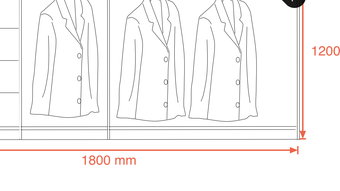
- Annotation & Markup Tools – Supports adding dimension lines, text, shapes, arrows, and custom annotations to images and documents.
- Vector Shape Creation – Allows users to draw and edit scalable vector shapes for clean, resolution-independent illustrations.
- Professional Design Features – Includes tools for creating posters, charts, PPTs, graphics, and cartoon-style illustrations with customizable layers and alignment guides.
- Multi-Format Compatibility – Supports common image and document formats for importing and exporting work across platforms.
These features empower users to perform complex design tasks directly on their iPhone, such as annotating architectural sketches with precise measurements, preparing visual content for presentations, or editing educational materials with detailed feedback. The ability to work with vector shapes ensures that designs remain sharp at any scale, ideal for professional use. The integration of typesetting tools further supports advanced layout work, making the app suitable for both creative and technical applications. While some features may require in-app purchases, the core functionality is accessible from the start, offering immediate value to users seeking a powerful mobile design companion.
User Interface, Workflow & Performance
The user interface of 6F Markup Annotate and Draw is structured to support efficient design workflows, with toolbars, layer management, and a customizable workspace. Navigation is designed around intuitive touch gestures and the Virtual Mouse, allowing users to switch between tools, adjust settings, and manage layers with minimal friction. The layout emphasizes accessibility, with frequently used tools placed within easy reach and contextual menus available on demand.
Workflow efficiency is enhanced by the ability to save and reuse templates, manage multiple layers, and export projects in various formats. The app supports real-time editing, enabling users to see changes immediately without lag or delay. However, exact performance details such as CPU or RAM usage were not specified by the developer. General software behavior patterns suggest that performance may vary depending on device capabilities, but the app is designed to maintain stability during extended use. The developer did not provide additional system requirements or performance benchmarks, so real-world experience may vary based on individual device configurations.
Compatibility & System Requirements
6F Markup Annotate and Draw is compatible with iOS devices, supporting the latest versions of the operating system as of its release. The app has a file size of 45.2 MB, indicating a lightweight installation that should not significantly impact device storage. The software version is 2.1.0, released on February 15, 2024. The developer did not specify exact hardware requirements or minimum OS versions beyond the general iOS platform.
Platform compatibility information is limited, and users are advised to ensure their device meets standard iOS app requirements. The app is designed for mobile use, so compatibility with desktop operating systems such as Windows or Mac is not applicable. For optimal performance, users should have a device with sufficient processing power and screen resolution to support detailed drawing and vector rendering. The developer did not provide detailed information on supported iOS versions or device models.
Pros and Cons
Pros
- High-precision drawing with the Virtual Mouse interface
- Comprehensive set of annotation and design tools
- Support for vector shapes and scalable graphics
- Capable of creating professional posters, charts, and PPTs
- Lightweight installation at 45.2 MB
Cons
- Some advanced features may require in-app purchases
- Exact system requirements not publicly listed
- Performance data not provided by developer
- Limited information on iOS version compatibility
- Not available on desktop platforms
FAQ Section
Is 6F Markup Annotate and Draw available for Windows or Mac?
The app is currently designed for iOS devices only and is not available for desktop operating systems such as Windows or Mac.
Does the app require an internet connection to function?
Basic annotation and design features can be used offline. However, some functionalities such as cloud sync or updates may require an internet connection.
Can I use the Virtual Mouse on all iPhone models?
The Virtual Mouse is compatible with all iPhone models that support iOS. However, performance may vary depending on device capabilities and screen size.
Are there any in-app purchases in 6F Markup Annotate and Draw?
Yes, while core features are available at launch, certain advanced tools and templates may be unlocked through in-app purchases.
How often is the app updated?
The app was last updated on February 15, 2024. The developer has not provided a public update schedule, but regular updates are expected to maintain compatibility and improve functionality.
Final Thoughts + CTA
6F Markup Annotate and Draw stands out as a powerful, mobile-first design and illustration tool that brings desktop-level capabilities to the iPhone. Its innovative Virtual Mouse interface significantly enhances precision, making it ideal for users who need accuracy in annotations, technical drawings, or creative illustrations. The app’s versatility in handling everything from simple markup to complex graphic design tasks makes it a valuable asset for professionals, educators, and creatives alike.
While some features are locked behind in-app purchases and system requirements are not fully disclosed, the app delivers strong functionality for its size and price point. For anyone seeking a secure, reliable, and feature-rich tool to annotate, draw, and design on their iPhone, this software offers a compelling solution. With its focus on usability, precision, and professional output, 6F Markup Annotate and Draw is a must-have for mobile design workflows.
Download 6F Markup Annotate and Draw now







